
How to Choose the Best Home Audio Intercom System?

A Home Audio Intercom System should make everyday communication easier, not add another confusing device to the wall. Picture calling someone upstairs while a pot simmers on the stove. The voice should come through clearly, and the controls should make sense without a manual. Those small moments reveal more than a feature list.

Design researcher Don Norman writes, “Good design is actually a lot harder to notice than poor design.” His observation concerns design broadly, but it offers a useful test for an intercom: the best choice often feels simple to use. Check whether the system supports the rooms you actually use, including bedrooms, kitchens, and entryways. Listen for clear speech at realistic distances. Consider wired and wireless installation, power needs, privacy controls, and compatibility with existing equipment. A polished screen cannot compensate for weak audio in a noisy kitchen.

Compare more than price. Ask installers about placement, signal coverage, maintenance, and what happens during a network outage. If possible, test the units in your own home; showroom acoustics can be misleading. One detail is easy to overlook: household routines change, and a system that suits today’s layout may feel limiting later. No checklist can predict every use. Still, choosing around real rooms, real voices, and straightforward controls gives you a dependable starting point.
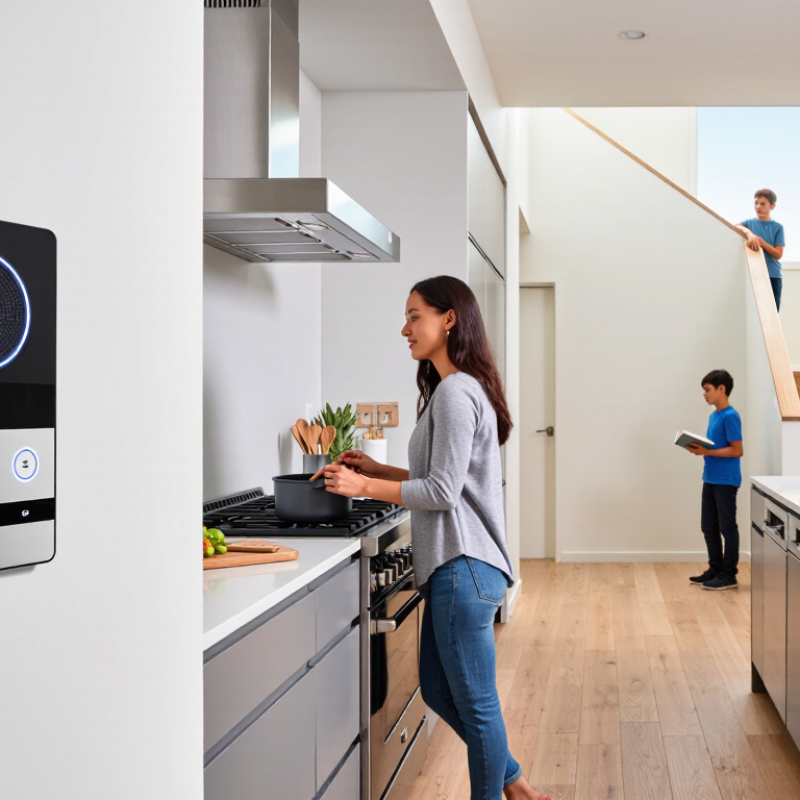
How to Choose the Best Home Audio Intercom System?

Understand How a Home Audio Intercom System Works

A home audio intercom turns speech into electrical or digital signals. A door station captures your voice through a microphone, then sends it to indoor stations or compatible devices. A speaker converts the signal back into sound. Simple systems connect stations directly through low-voltage wiring; networked systems may use a home router, central controller, or Power over Ethernet. Some support two-way conversation, while others require push-to-talk. The difference is noticeable: full duplex lets two people speak naturally, but push-to-talk can feel more deliberate.

MarketsandMarkets’ 2023 Smart Home Market report valued the broader market at $101.7 billion and projected $163.7 billion by 2028. That figure covers more than intercoms, so it should not be read as an intercom sales forecast. Still, it reflects a shift toward connected home devices. That matters. Networked intercoms can offer room-to-room calls and mobile alerts, but their sound quality depends on microphone placement, network stability, and background noise. A tiled entryway may produce echo; a router behind a cabinet may weaken a wireless link. Not always obvious. Before choosing a system, check whether it works during internet outages, how it is powered, and whether you can hear speech clearly from the farthest room. A small test with doors closed can reveal problems that a product specification sheet cannot.

Assess Your Household’s Communication Needs and Coverage

Before choosing a home audio intercom system, note where conversations actually happen. Mark bedrooms, the kitchen, garage, and any detached room on a simple floor plan. Think about daily routines: Can someone hear the door from upstairs? Do family members need to call between a basement and a garden room? Specific examples reveal more than counting rooms alone.

Coverage depends on more than distance. Brick walls, closed doors, and appliances can weaken wireless signals, while wired systems may need installation work. Check whether sound reaches the farthest occupied room, not just the hallway. Consider who will use the controls and whether volume can be adjusted for different listeners. Reliable two-way audio matters. So does clear speech, especially when a room has a fan or running water. I might overlook a quiet corner during planning; testing there can catch that mistake.

Tips: Walk through the home at busy times and list the rooms where messages are often missed. If possible, test a sample unit in the weakest-coverage area before committing. Ask an installer to explain wiring, power needs, and likely dead spots. Keep expectations realistic: no system makes every room equally quiet.

Compare Wired, Wireless, and Hybrid System Types

How to Choose the Best Home Audio Intercom System?

A home audio intercom should fit the building, not just the budget. Compare wired, wireless, and hybrid systems against your walls, room layout, and daily routines. Do you need clear calls between floors, or only between the kitchen and front entry? That distinction matters.

Wired systems connect stations through cables, so they can deliver steady audio with less concern about wireless interference. They suit new builds or major renovations, when installers can route cables through open walls. In an existing home, the work may mean drilling, patching, and extra labor. Not a small detail. Wireless systems are quicker to place and easier to expand. A station can sit on a shelf near a busy doorway, without new cable runs. However, thick walls, distance, and nearby devices may weaken the signal. Test likely station locations before settling on a layout; a signal that works in one room may falter upstairs.

Hybrid systems combine wired connections in key areas with wireless stations elsewhere. This can be practical when the main entrance needs a dependable connection, but bedrooms or a detached workspace would be difficult to wire. Check whether the system supports the features you expect, such as room-to-room calling and volume adjustment. One trade-off is easy to miss: mixing connection types can make setup and troubleshooting less straightforward. A simple hand-drawn room plan can reveal where fixed stations, power outlets, and reliable coverage matter most.

Evaluate Sound Quality, Controls, and Smart-Home Compatibility

A home audio intercom is useful only when voices remain understandable across real rooms. Listen from the hallway. Test a normal speaking voice with a kitchen fan running, then check whether quieter family members can be heard without shouting. Clear speech matters more than exaggerated bass. If possible, compare audio from the same position in each room; a phone recording can help, though it will not capture sound perfectly.

Controls should be easy to use without looking down. Try the volume dial, mute button, and room-selection control with one hand. Controls matter, too. A bright display may be hard to read at night, while tiny buttons can frustrate visitors or children. Check whether the system offers adjustable volume, a clear mute indicator, and simple group or room calls. Do not assume touch controls are easier; fingerprints and accidental taps can be annoying.

For smart-home compatibility, verify exactly what the intercom can connect to, such as a home network, voice assistant, or existing automation hub. “Compatible” can mean limited functions, so confirm whether you can call rooms, adjust volume, or receive alerts through the connected system. Check Wi-Fi coverage where each unit will sit, especially behind thick walls. A feature list looks convincing on paper. Real use may feel different. Consider whether the system still works as a basic intercom if the internet drops, and whether setup requires an app that every household member can access.

How to Choose the Best Home Audio Intercom System? — Evaluate Sound Quality, Controls, and Smart-Home Compatibility
System Type Sound Quality Controls Smart-Home Compatibility Installation and Reliability Best Suited For
Wired multi-room intercom Usually consistent room-to-room audio; performance depends on speaker, microphone, wiring, and installation quality. Typically uses fixed room stations or wall controls; some systems also provide central controls. Often limited unless the system includes a compatible network interface or integration feature. Requires cabling between locations; most practical during construction or major renovation. Wired links are not dependent on household Wi-Fi. New builds, renovations, and households prioritizing dedicated room-to-room communication.
Wireless dedicated intercom Can provide clear voice communication; sound and coverage may vary with distance, walls, interference, and device placement. Usually controlled through dedicated handsets, station buttons, or a central unit. Generally focused on intercom functions; app or smart-home features depend on the system. Avoids inter-room signal wiring, but needs power or battery charging. Test coverage through the home’s walls before relying on it. Existing homes needing a purpose-built intercom without in-wall cabling.
Wi-Fi app-based intercom Voice quality depends on the device microphone and speaker, Wi-Fi coverage, network congestion, and internet or service requirements. Often managed through a mobile app; check whether hands-free calling, room selection, and volume controls are available. May connect with selected smart-home platforms or routines; compatibility is specific to the system and can change with software support. Typically needs a dependable home network and compatible devices. Review account, update, and privacy requirements. Households that prefer app control and already have reliable Wi-Fi throughout the home.
Smart-speaker-based intercom Can support hands-free voice announcements or calls between compatible devices; results depend on room acoustics, device placement, and network quality. Usually supports voice commands and app controls; available calling functions vary by platform and device settings. Often offers broad integrations within its own supported ecosystem; cross-platform features should be verified before purchase. Simple to add where compatible devices and Wi-Fi are already available. Features may rely on cloud services, accounts, and ongoing software support. Homes already using compatible smart speakers and wanting intercom features alongside other functions.

Comparison note: These are typical characteristics, not guarantees. Actual audio performance, coverage, controls, and integrations vary by system, home layout, network conditions, and installation. Confirm room coverage, supported devices, privacy settings, and any service requirements before choosing.

Review Installation, Privacy, Expandability, and Total Cost

How to Choose the Best Home Audio Intercom System?

Installation is easier to judge when you map the rooms you actually use. Mark the kitchen, bedrooms, entryway, and any detached spaces. Wired systems may need cable runs through walls, while wireless units still depend on reliable signal coverage and power. Check outlet locations and wall materials before choosing. A neat floor plan helps, though it will not reveal every installation snag.

Privacy and expandability deserve equal attention. Look for adjustable volume, clear mute controls, and a way to limit which rooms can call each other. Audio can travel farther than expected through open hallways. Test it at home. If you may add rooms later, confirm how extra stations connect and whether the system supports them without replacing existing equipment. Total cost should include installation, accessories, subscriptions if any, and future additions—not just the listed unit price. I would not assume the cheapest option stays cheapest; that is easy to overlook.

Tips: Ask for a written installation estimate. Check signal strength in the farthest room. Keep it simple. Compare the cost of adding one station now versus later, and leave a small budget for unexpected wiring work. One imperfect detail matters: a convenient wall location may not be the best place for privacy.

t