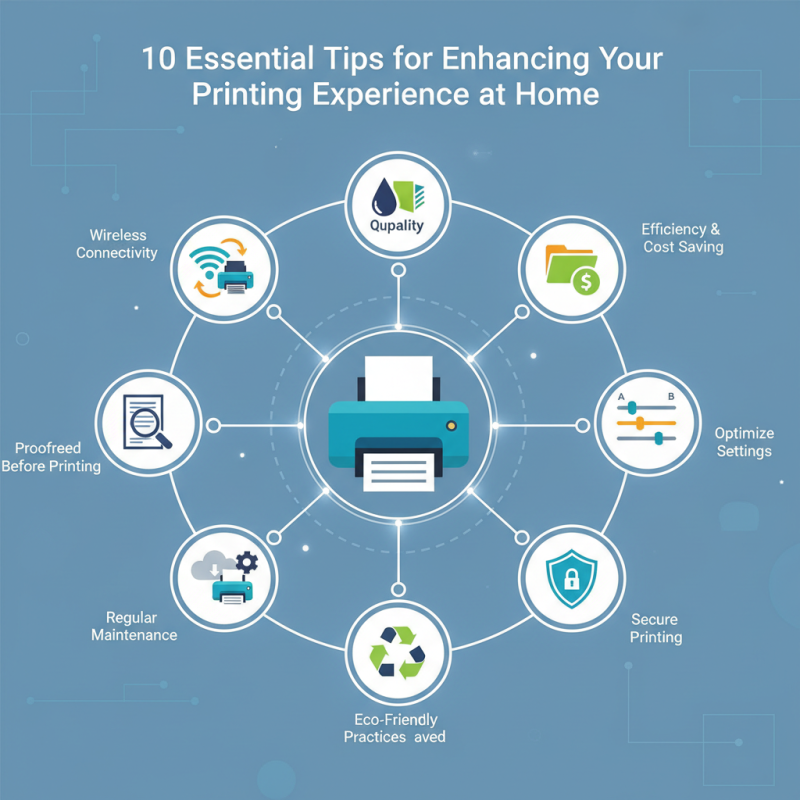
10 Essential Tips for Enhancing Your Printing Experience at Home
In an increasingly digital world, the need for effective printing at home remains paramount. According to a report by Smithers Pira, the global print market is expected to reach over $500 billion by 2025, underscoring the significant role that home printing continues to play in both personal and professional spaces. As more individuals turn to home offices or remote work environments, the functionality and efficiency of your printing setup can greatly enhance productivity. Moreover, a study conducted by Quocirca highlights that inefficient printing processes can lead to wasted resources, costing businesses around $100 billion annually.
Understanding how to improve your printing experience is crucial, whether you are printing photos, documents, or art projects. You printing should not only be about the final product but also about creating an efficient workflow. By adopting strategies that streamline your printing tasks, you can save time, reduce costs, and ensure that every print job meets your quality expectations. As we explore the essential tips for enhancing your printing experience at home, consider how small adjustments can lead to significant improvements in your overall productivity and satisfaction.
Understanding Your Printer's Specifications and Capabilities
Understanding your printer's specifications and capabilities
is crucial for optimizing your printing experience at home.
Every printer operates with a unique set of specifications, including
print resolution, speed, and paper handling capabilities.
Print resolution, typically measured in dots per inch (DPI), indicates the clarity and detail of the images produced.
A higher DPI generally means sharper prints, which is especially important for photo printing or any documents featuring intricate graphics.
Knowing your printer's maximum resolution helps you make informed choices when selecting print settings to achieve the desired output quality.
Additionally, understanding your printer's speed measurements, indicated in
pages per minute (PPM), can significantly impact your productivity.
If you frequently print large documents or multiple copies, a printer with a high PPM will save you valuable time.
Moreover, it's essential to familiarize yourself with the types of paper that your printer can handle, whether it be standard sheets, envelopes, or specialty media.
This knowledge allows you to utilize the printer effectively for various projects. By fully grasping your printer's specifications and capabilities,
you can enhance not only the quality of prints but also the overall efficiency
of your printing tasks at home.
Choosing the Right Paper for Optimal Print Quality
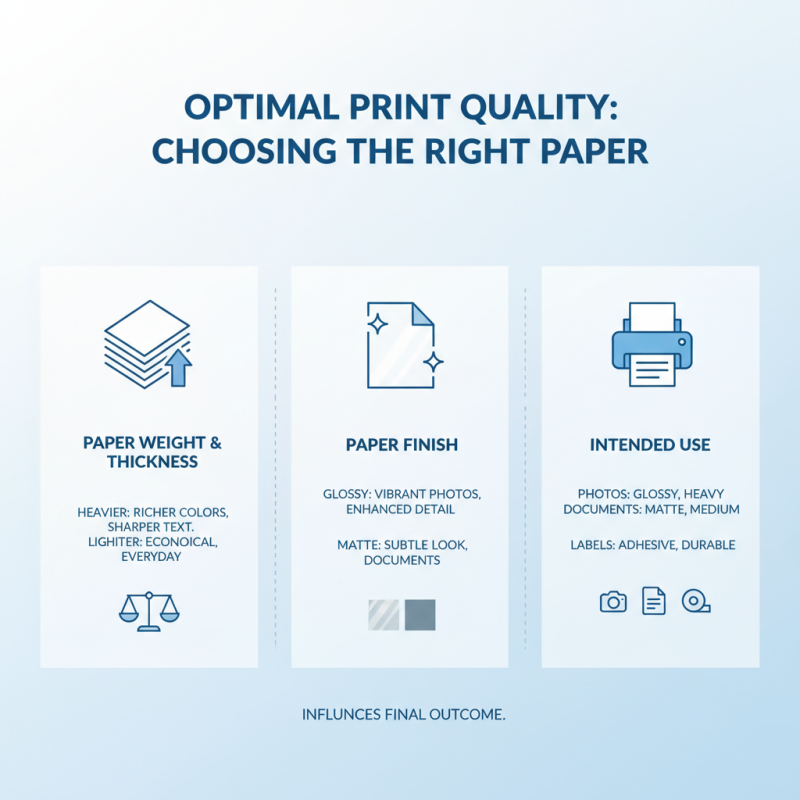
When it comes to achieving optimal print quality, choosing the right paper is crucial. The type of paper you select can dramatically influence the final outcome of your printed materials, whether you're producing vibrant photos, professional documents, or simple labels. Start by considering the weight and thickness of the paper; heavier papers tend to produce richer colors and sharper text, while lighter papers are often more economical for everyday printing tasks. Additionally, look for finishes that suit your intended use—glossy paper can enhance color saturation and detail, making it ideal for photographs, while matte paper offers a more subtle look for presentations.
Another key factor is the paper's brightness and texture. High-brightness paper reflects more light, resulting in clearer images and crisper text, which is particularly beneficial for color prints. Textured papers, on the other hand, can add a tactile dimension to your prints and are well-suited for artistic projects. It's also important to consider the compatibility of the paper with your printer type—inkjet and laser printers have different requirements, and using the wrong paper can lead to issues like ink bleed or paper jams. By taking the time to select the appropriate paper, you can significantly enhance your printing experience at home and ensure that your prints truly stand out.
Adjusting Printer Settings for Different Projects
When it comes to enhancing your printing experience at home, adjusting your printer settings according to different projects is crucial. Each printing task may require a unique set of parameters to achieve the best quality. For instance, if you are printing detailed images or photographs, it's important to select a higher resolution and quality setting. This might slow down the printing process, but the clarity and vibrancy of the finished product will be worth it. Conversely, for simple text documents or drafts, a lower quality setting will typically suffice and save on ink and paper.
Consider the media type as well—whether you are printing on standard paper, photo paper, or cardstock. Adjusting the printer settings to match the media type ensures optimal ink absorption, which can significantly affect the overall appearance of your work. If you’re working on a project that requires borders or full-page prints, be sure to configure those settings accordingly to avoid any unwanted white spaces around your prints.
Additionally, utilizing the ‘print preview’ option before finalizing your print job can prevent costly mistakes. It allows you to check how your document will appear when printed and gives you the opportunity to make any necessary adjustments, such as scaling or positioning. Taking these steps will streamline your printing tasks and lead to final products that meet your expectations every time.
Enhancing Your Printing Experience at Home
Maintaining Your Printer for Longevity and Performance
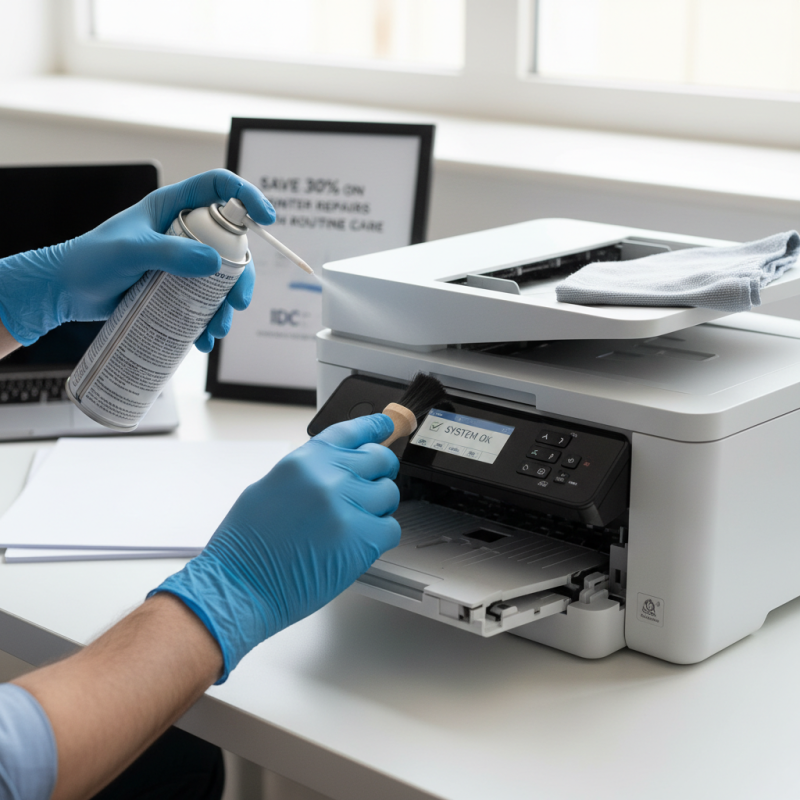
Proper maintenance of your home printer is crucial for ensuring its longevity and optimal performance. According to a report by the International Data Corporation (IDC), up to 30% of printing issues can be resolved with routine upkeep. Regularly cleaning your printer, both inside and out, can prevent dust and paper residue from clogging the internal mechanisms. This simple practice helps to avoid common problems such as paper jams and print quality deterioration, which are significant factors contributing to user frustration.
Moreover, monitoring ink levels and using high-quality paper can lead to a 25% increase in print performance, as reported by the Printing Industries of America (PIA). Being proactive in replacing ink cartridges before they run dry not only prevents interruptions during printing but also helps maintain print quality. Additionally, investing in a surge protector can protect your printer from electrical spikes, which are known to cause significant damage, potentially reducing your printer's lifespan. Adopting these maintenance tips will ensure your printer serves you well for years to come.
Exploring Ink and Toner Options for Cost-Effectiveness
When it comes to enhancing your home printing experience, understanding ink and toner options is crucial for achieving both quality and cost-effectiveness. According to a recent report by International Data Corporation (IDC), businesses can save up to 30% on printing costs by choosing the right printing supplies. This statistic highlights the importance of making informed decisions when selecting inks and toners for your home printer.
One effective tip is to consider using high-yield cartridges. These cartridges contain more ink or toner than standard options and can significantly reduce the cost per page. For instance, a study by the Consumer Electronics Association (CEA) found that opting for high-yield cartridges can yield an impressive 50% savings over time for frequent users. Additionally, keep an eye out for compatible or remanufactured cartridges, which often offer similar quality at a fraction of the price.
Another essential consideration is the type of ink or toner that best aligns with your specific printing needs. Dye-based inks may provide vibrant colors ideal for photos, while pigment-based inks generally offer better longevity and resistance to fading—key factors for documents or prints intended for display. By being strategic about your ink choices, you can significantly enhance your printing outcomes while also keeping your budget in check.