
How to Use RFID for Tool Tracking?

Tools often go missing between the workbench, service vehicle, and job site. A technician may spend ten minutes checking cases for one drill, while another tool sits unused in storage. Rfid Tool Tracking can make these movements easier to see by linking tagged equipment to recorded check-ins and check-outs. It is not magic. Results depend on sensible tag placement, reader coverage, and staff following a clear process.

An RFID setup usually includes tags, readers, and software that stores tool records. Each tag carries an identifier; readers capture it when tools pass through selected areas or are scanned during handovers. Metal surfaces can affect some tags, so test the chosen type on actual tools before buying in volume. Small details matter. A pilot can reveal missed reads, awkward scanning points, or records that do not match daily routines. A first rollout may feel clumsy; that is useful feedback, not failure. Staff input often exposes problems a floor plan cannot show.

This guide explains how to choose tags, plan reader locations, organize tool records, and check performance. It also covers practical limits, including read range, battery needs for active tags, and the importance of maintaining accurate inventory data. RFID can reduce manual searching, but it cannot fix unclear ownership or inconsistent returns by itself. The best system fits the way people already move tools—and leaves room to improve when real use reveals gaps.
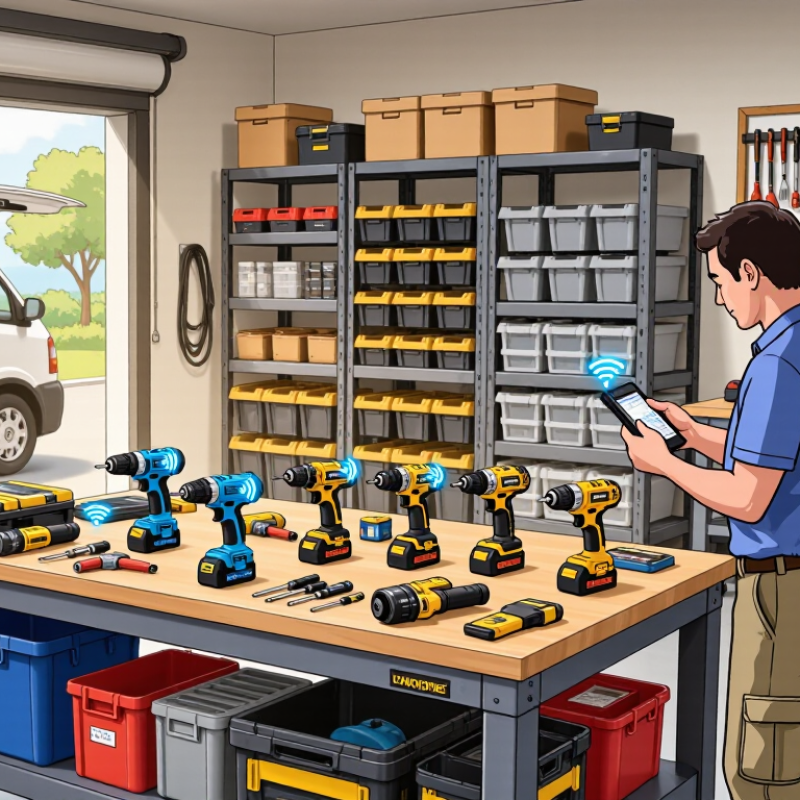
How to Use RFID for Tool Tracking?

How RFID Identifies and Locates Tools

RFID identifies a tool through a small tag attached to its handle, case, or storage slot. Each tag has a unique electronic identifier. When a reader sends out a radio signal, a passive tag uses that energy to respond with its ID. The tracking system links the ID to details such as tool type, serial number, and assigned location. No line of sight is needed.

Location depends on where readers are installed and how the system is configured. A reader at a cabinet can record tools entering or leaving storage. Readers near workshop doors can log movement between areas, while a handheld reader helps staff check a shelf or workbench. These readings show a tool’s likely zone, not its exact position. RFID is not a map pin.

Metal can weaken or distort radio signals, especially when a tag is mounted directly against a steel tool. Use tags designed for metal surfaces, then test them on the actual tools and at the intended read points. A missed read is possible. I would treat RFID records as useful evidence, not perfect truth: compare them with occasional physical checks and adjust antenna placement when tools are repeatedly overlooked.

Define Tool Tracking Requirements and Prepare an Asset Register

Before selecting RFID tags or readers, define what “tracked” means in your tool room. Decide whether the system must record checkouts, returns, storage locations, maintenance status, or all four. Set practical targets, such as locating a drill within two minutes or identifying overdue tools before a shift starts. Small details matter: metal toolboxes can affect read performance, and a tag on a removable battery may not identify the tool itself. Test representative tools in their real storage positions.

Build the asset register before tagging. Give every tool a unique ID and record its description, serial number, category, usual location, condition, and maintenance or calibration dates. Add the responsible team if custody matters. Remove duplicate records and mark uncertain information instead of guessing.

It is tempting to make the register perfect; in practice, an honest “location unverified” field is more useful than false precision.

Auburn University’s RFID Lab reported inventory accuracy near 95% in an apparel-retail study using RFID, compared with roughly 63% using traditional processes. That is a useful reference, not a guaranteed tool-room result.

Define how often records will be checked and who resolves mismatches. A spreadsheet left untouched will drift.

Choose RFID Tags, Readers, and Tracking Software

Choose RFID tags around the tools, not just the spreadsheet. Metal surfaces can detune ordinary tags, while oil, dust, and repeated impacts can damage weak housings. Test a few rugged, metal-mount tags on the actual drills, torque wrenches, and cases you need to track. Test before scaling. Check read distance with tools stacked in a cabinet and carried through a doorway. A tag that works on a clean bench may fail in a crowded toolbox. That matters.

Match readers to the workflow. Handheld readers suit periodic audits and locating a missing tool; fixed readers can record movement at storage-room exits. Avoid placing antennas where people or metal shelving block the signal. Then choose tracking software that links each tag ID to a tool record, assigned worker, and storage location. It should make check-in and check-out quick, show last-seen events, and flag overdue items without flooding staff with alerts. During a pilot, compare system records with a physical count. Expect gaps: missed reads and duplicate scans happen. Adjust tag placement and reader settings, and document who can correct records. A perfect dashboard is less useful than a routine people will follow.

How to Use RFID for Tool Tracking? - Choose RFID Tags, Readers, and Tracking Software

Tracking Need Recommended Tag Frequency / Typical Read Range Reader Type Useful Software Features Deployment Considerations
Individual metal hand tools Passive UHF on-metal tag with a rugged housing UHF; roughly 1–5 m with a handheld reader, depending on tag, reader, orientation, and surroundings Handheld reader for inventory checks and searches Tool records, assignment history, last-seen time, and inventory reports Metal can detune standard tags. Select a tag designed for metal surfaces and test it on the actual tool before deployment.
Small tools requiring close-range identification Compact HF or NFC tag, or a small on-metal tag where needed HF/NFC; typically a few centimeters, depending on the reader and tag Fixed or handheld close-range reader Check-in/check-out, user confirmation, and maintenance notes Short read range can help limit accidental reads, but each tool generally needs to be presented close to the reader.
Bulk tool counts in a storage room Passive UHF on-metal tags on tools; ordinary passive UHF tags may suit nonmetallic cases UHF; several meters in suitable conditions, with read performance affected by placement and materials Fixed portal or overhead antenna system Zone-based movement events, duplicate-read filtering, and count reconciliation Conduct a site survey and tune antenna placement and power. Nearby metal, liquids, and dense tool piles can affect reads.
Tool checkout at a service counter Passive UHF or HF/NFC tags selected for the tool and the desired read distance UHF can support batch reads; HF/NFC is generally a deliberate close-range read Countertop reader or handheld reader connected to a workstation Employee ID, due dates, transaction logs, and overdue alerts Choose the read method based on whether staff should scan tools one at a time or check out several together.
Tracking tools across a large site Passive UHF tags for identity and checkpoints; active tags only when frequent location updates justify battery-powered equipment Passive UHF range varies by setup; active-system coverage depends on the installed infrastructure Handheld readers at checkpoints, or fixed readers at selected entrances Location by reader or zone, event timestamps, access roles, and exception alerts RFID reads indicate a tag was detected at a reader or zone; they do not automatically provide continuous, precise indoor positioning.
High-vibration or outdoor tools Rugged, securely mounted on-metal tag rated for the environmental conditions Usually passive UHF for longer-range scanning; verify performance in the intended environment Rugged handheld reader Condition and service records, tag replacement history, and audit trails Check enclosure durability, temperature and moisture ratings, mounting method, and tag readability after installation.

Selection tip: Start with the tool material, required read distance, and workflow. Pilot tags on representative tools before purchasing at scale, then confirm that the reader and tracking software can capture the required tool ID, user, location or zone, and timestamp.

Install the RFID System and Register Each Tool

Install the RFID system where tools actually move: at the issue desk, storage cabinet, or workshop exit. Mount antennas to cover the intended read zone, then test with tools placed in different orientations. Metal can distort radio signals, so compare tag types on representative tools before tagging the full inventory. A handheld reader can help locate tools in crowded drawers; a fixed reader may suit a controlled checkout point. Keep the first setup modest. Extra read points can create duplicate or stray scans. MHI’s 2024 Annual Industry Report found that 55% of surveyed organizations planned to increase supply-chain technology investment. That figure reflects broad investment plans, not RFID tool-tracking results.

Register each tool before daily use. Assign a unique tag ID and link it to a clear description, serial number, storage location, and responsible team. Add useful fields such as calibration date or maintenance status, but avoid collecting details nobody will maintain. Scan each tag against its record, then confirm the displayed tool matches the item in your hand. Test checkout and return workflows with a small group; watch for missed reads, duplicate records, and tags that detach from oily handles. Small details matter. A clean registration list is essential, yet it can still become outdated when tools move without being scanned. Schedule periodic spot checks and give staff a simple way to report damaged tags or incorrect locations.

Track Tool Movement and Maintain Data Accuracy

How to Use RFID for Tool Tracking?

Track Tool Movement and Maintain Data Accuracy

RFID can record when a tagged tool passes a reader at a storage cabinet, workshop door, or service vehicle. This creates a time-stamped movement history without relying on handwritten check-out sheets. Start by tagging high-use tools and placing readers where people naturally collect or return them. A drill leaving the cabinet should register against its assigned location and user, when that information is available. Keep tag numbers linked to clear tool descriptions in the tracking system. A record that says “tool 184” is less useful than “18-volt drill, case 3.”

Accuracy depends on the process around the hardware. Test tags on actual tools, especially metal equipment, since nearby surfaces can affect read performance. Check that readers capture returns as well as removals, and review exceptions each day. For example, a missing return scan may mean a tool is still in use, or simply that someone forgot to scan it. RFID reduces manual entry, but it does not fix unclear procedures. Even a tidy dashboard can be wrong. Compare sample records with a physical tool count and adjust reader placement or staff instructions when results differ.

Tips: Label storage zones clearly. Test scans during busy shifts. Keep a simple manual correction process for missed reads.

t