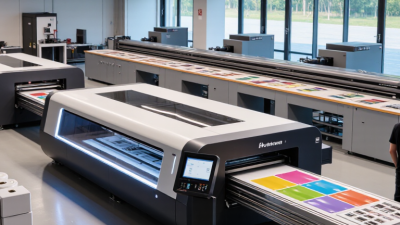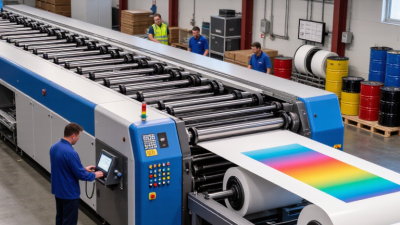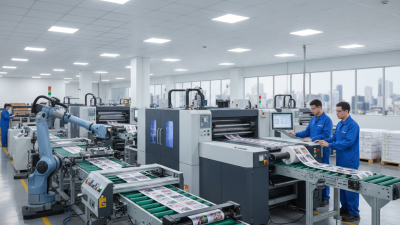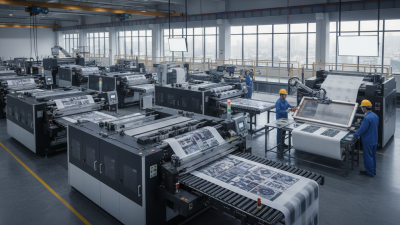
Choosing an industrial printing machine is not simply a choice between speed and price. A press may look impressive in a showroom, yet struggle with thick cartons, textured labels, or frequent job changes. The right fit depends on what a business prints, how often it runs, and who will maintain the equipment. Small details count. Compare usable print width, resolution, substrate range, ink system, finishing options, and service access. Ask how setup time and material waste change during short runs. Brochure specifications rarely tell the whole story.
Benny Landa, founder of Landa Digital Printing, is often credited with saying, “Everything that can be digital, will be digital.” That perspective helps frame this guide, but digital is not automatically the best choice for every shop. A high-volume packaging line may need different capabilities from a print room producing signs, labels, or promotional materials. This overview of seven industrial printing machines considers practical fit, workflow, output quality, and operating demands. It also recognizes a common weakness in machine comparisons: purchase price is easy to compare; long-term upkeep is harder. Some details will depend on the buyer’s own materials and workload. Test samples before deciding. A machine that performs well on one substrate may disappoint on another.
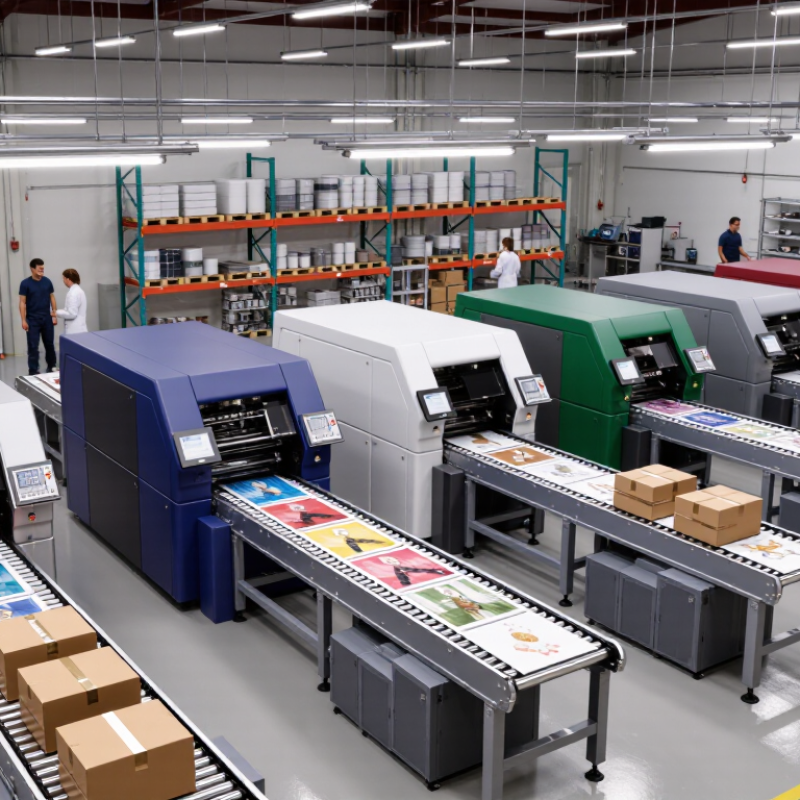
Industrial printing covers very different jobs. Offset presses suit long runs of brochures and cartons, while flexographic presses handle packaging on rolls. Gravure presses deliver consistent results at very high volumes, but setup costs can make short runs uneconomical. Screen-printing machines lay down thick, tactile ink on signs, panels, and fabrics. Digital inkjet presses support quick artwork changes; toner-based presses often suit shorter paper runs. Textile printing systems apply designs directly to fabric or transfer them from paper.
The market is shifting, though not uniformly. Grand View Research valued the global digital printing market at USD 35.0 billion in 2023 and forecast 6.7% annual growth from 2024 to 2030. That figure covers digital printing broadly, not textile equipment alone. Still, it signals why many shops are weighing faster changeovers against the lower unit costs of traditional presses. The trade-off is easy to underestimate. A fast machine can still sit idle if finishing becomes the bottleneck.
Tips: Match the press to the substrate, run length, and finishing line. Test a real job, not just a sample sheet. Track setup waste and usable output; estimates can be imperfect, and that is worth revisiting.
Offset and flexographic presses serve different high-volume jobs. Offset transfers ink from a plate to a blanket, then onto paper. It suits long runs of cartons, inserts, and other work needing consistent four-color CMYK. Flexography uses flexible relief plates and fast-drying inks. It handles packaging materials such as film, labels, and corrugated board.
Smithers’ report, The Future of Global Printing to 2028, estimates the global print market at about $818 billion in 2023 and forecasts growth to roughly $874 billion by 2028. That broad market figure is not a press-specific forecast, but it signals sustained demand for production capacity. On a busy line, operators still need to balance speed with setup time, registration, and waste. A small color shift across a long run can mean many unusable sheets.
Choose by substrate and job mix, not headline speed alone. Offset often delivers fine detail on paper and board, while flexo can keep pace on continuous webs and varied packaging stocks. Both need careful control of ink, plate condition, and drying. Four colors are not magic. Spot checks, calibrated color targets, and clear tolerances help crews catch drift early. Real shops sometimes miss a setting; documenting corrections makes the next run better.
In gravure printing, repeat length is the cylinder circumference: diameter × π. A 200 mm cylinder therefore produces a repeat of about 628 mm. Confirm the usable image area and press gearing before ordering a cylinder; matching diameter alone does not guarantee the artwork will register. Small errors compound. Measure the cylinder at several points, since wear or runout can affect print consistency.
For screen printing, mesh count means threads per unit length, but it does not tell the whole story. A 120-thread-per-inch mesh has roughly 47 threads per centimetre. Its actual ink passage also depends on thread diameter and opening size. ASTM E2016-20 and ISO 9044:2016 specify woven-wire-cloth characteristics such as aperture and wire diameter, making them useful references when comparing mesh specifications. Not enough. Record all three values, plus mesh tension and stencil thickness, on the job sheet.
A finer mesh can hold detail, yet may restrict ink deposit on textured or absorbent surfaces. A coarser mesh passes more ink, but small text and narrow lines may soften. Run a short trial with the intended ink and substrate, then inspect the print under magnification. The calculation gives a starting point, not a guarantee; I would still recheck registration after the cylinder warms and the screen is tensioned.
Industrial printers commonly advertise output in the 600–1,200 dpi range, but the number alone cannot guarantee crisp results. Ink type, material, print speed, and viewing distance also shape the image. On a carton label held at arm’s length, 600 dpi may keep ordinary text clear, while hairline graphics can blur on absorbent stock. It depends.
Inkjet machines suit detailed graphics on paper, film, and packaging materials, though porous surfaces may spread ink. UV flatbed printers can print directly onto rigid sheets, signs, or panels; surface texture and printhead distance still affect fine detail. Textile printers face another variable: fabric weave can soften edges, even when the printer is set near 1,200 dpi. A higher setting may also require slower passes, which can reduce daily output. Not always. Teams should test the actual material with small text, gradients, and solid color blocks before setting production standards. Nozzle checks and routine calibration help, but they cannot fix every mismatch between artwork and substrate. A common oversight is judging a sample under bright shop lighting, then expecting the same appearance in a dimmer space.
| Industrial Printer Type | Typical Applications | Printing Process | Typical Stated Resolution | Suitable Media | Key Business Advantage | Important Consideration |
|---|---|---|---|---|---|---|
| Production inkjet printer | Books, direct mail, transactional documents, and commercial print runs | High-speed aqueous inkjet, commonly using water-based pigment or dye inks | About 600–1,200 dpi, depending on print mode and system | Coated or treated paper, uncoated paper, and selected specialty stocks | Supports variable-data printing and short-to-medium runs with minimal plate setup | Paper compatibility, ink drying, and finishing requirements affect achievable speed and quality |
| UV flatbed printer | Rigid signs, display panels, packaging prototypes, and decorated objects | UV-curable ink is deposited directly onto the substrate and cured with ultraviolet light | About 600–1,200 dpi in common production configurations | Rigid materials such as acrylic, aluminum composite, glass, wood, and board; some systems also support flexible media | Prints directly onto many rigid materials without conventional screen or plate setup | Substrate height, surface preparation, ink adhesion, and table size limit material choices and job dimensions |
| UV roll-to-roll printer | Flexible signs, banners, backlit graphics, and decorative films | UV-curable inkjet printing on a roll-fed transport system | About 600–1,200 dpi, with speed and image quality varying by mode | Flexible vinyl, banner material, coated film, and selected papers | Combines immediate UV curing with efficient production of long-format graphics | Media tension, curing settings, and flexibility requirements should be checked for each material |
| Direct-to-fabric textile printer | Apparel fabric, home textiles, flags, and custom textile production | Inkjet using fabric-specific pigment, reactive, or disperse inks | About 600–1,200 dpi; the appropriate mode depends on fabric and ink system | Natural or synthetic fabrics compatible with the selected ink chemistry | Enables customized designs and shorter production runs without traditional screens | Some ink systems require pretreatment, steaming, washing, or heat setting after printing |
| Dye-sublimation textile printer | Sportswear, soft signage, flags, and polyester-based décor | Dye-sublimation ink is printed onto transfer paper and transferred by heat, or printed directly onto suitable polyester fabric | About 600–1,200 dpi, depending on the printer and production mode | Transfer paper and polyester fabrics or polyester-coated products | Produces vivid color on polyester and is well suited to repeatable, custom designs | Transfer workflows need a heat press or calendar; results depend on compatible polyester content and transfer settings |
| Solvent or eco-solvent wide-format printer | Outdoor graphics, vehicle graphics, banners, and durable signage | Inkjet using solvent-based or lower-solvent ink formulations | About 600–1,200 dpi in commonly used print modes | Coated vinyl, banner media, adhesive films, and other compatible flexible substrates | Can produce flexible graphics designed for indoor or outdoor display | Drying or outgassing time, ventilation, and media-specific finishing may be required |
| Industrial inkjet label printer | Product labels, short-run packaging, and variable-content labels | Digital inkjet, often using UV-curable or aqueous ink depending on the system | About 600–1,200 dpi, depending on the print engine and mode | Label paper, coated paper, and compatible film stocks | Handles variable artwork and shorter jobs without conventional printing plates | Check ink and substrate compatibility, finishing needs, and resistance requirements for the end use |
Note: Resolution figures are indicative ranges, not guaranteed specifications. Manufacturers may report resolution differently, and usable image quality also depends on print mode, media, ink, and viewing distance.
Choosing an industrial printing machine starts with the work it must handle each day. Compare rated throughput with your actual mix of jobs, including setup, changeovers, and finishing. A machine rated for high speed may produce fewer saleable sheets when short runs interrupt production. Speed matters. Track usable output per shift, not just the number printed per hour.
Cost per unit depends on more than the purchase price. Include plates or consumables, ink, energy, maintenance, operator time, and spoiled sheets. For example, a longer run may spread setup costs across thousands of copies, while frequent color changes can raise the cost of short jobs. That estimate is rarely perfect. Revisit it with real production data after installation.
ISO 12647-2 concerns process control for offset printing; it is not a universal quality badge for every printing technology. If color matching matters, ask how the machine supports calibration, measurement, and repeatable results on your chosen paper and ink. Request a test using a representative file and substrate. Check color values under agreed measurement conditions, then compare the results across repeat runs. A machine that meets a speed target but drifts in color may create costly reprints. In practice, paper variation can complicate the test, so document the conditions carefully.