Why Choose Industrial Printing for Your Business?

Why Choose Industrial Printing for Your Business?

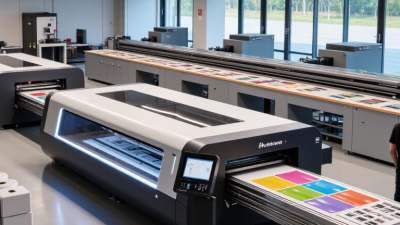
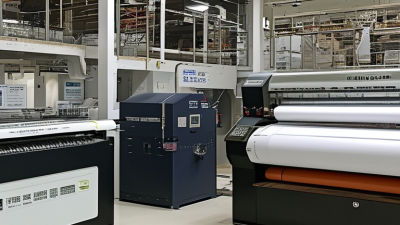
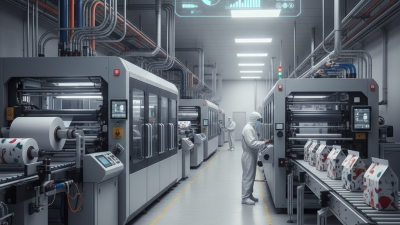
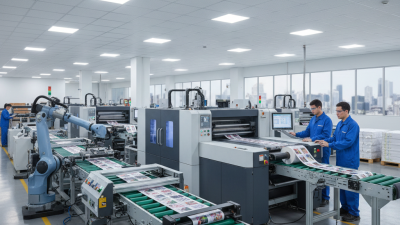
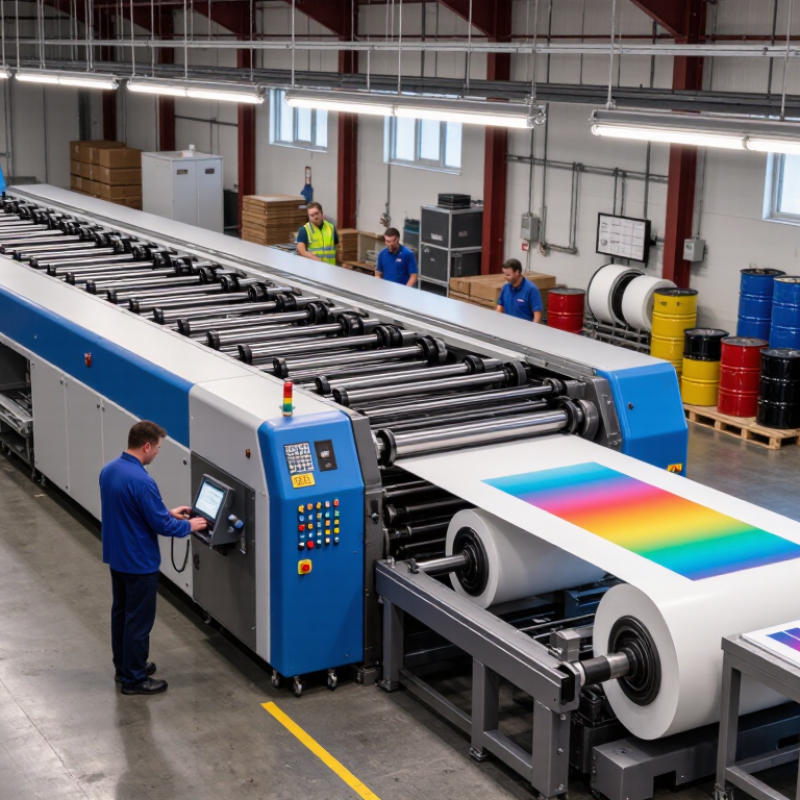
Industrial printing helps businesses turn materials into reliable, repeatable products. It supports packaging, labels, control panels, construction graphics, textiles, and technical components. Unlike small-format commercial printing, it must perform under pressure. Machines may run for long shifts, producing thousands of consistent pieces. Color, alignment, surface adhesion, and drying time all matter.

Frank Romano, a veteran printing educator and industry analyst, has said, “Print is not dead; it is changing.” His observation reflects the modern role of industrial printing. Today, production teams combine digital presses, automated inspection, variable data, and durable inks. These tools can shorten setup time and reduce material waste. They can also create customized products without stopping the entire line.

The benefits become clearer on the factory floor. A printed safety label must remain readable near oil, heat, or repeated handling. A package may need accurate color across several production batches. A control panel graphic must resist scratches and cleaning chemicals. Industrial printing can address these demands when substrates, inks, curing methods, and quality checks match the application.

The choice is not always obvious. High-volume offset printing may still suit certain products. Digital systems may cost more per unit at lower volumes. That assumption deserves testing. Businesses should compare total cost, downtime, waste, durability, and delivery speed. A practical trial can reveal weaknesses that brochures hide. Reliable results come from measured testing, experienced operators, and clear production standards.
Why Choose Industrial Printing for Your Business?

What Is Industrial Printing?

Why Choose Industrial Printing for Your Business?

What Is Industrial Printing?

Industrial printing is the production of printed materials at high volume, speed, and consistency. It uses heavy-duty presses, specialized inks, and durable substrates. Unlike office printing, it supports manufacturing, packaging, labels, signage, and technical components.

The process may involve digital, screen, flexographic, or offset methods. Each method suits different materials and production needs. Industrial printing is built for repeatability. Not perfection. In practice, a production team checks color density, registration, surface adhesion, and drying time. An operator may inspect a fresh sheet under bright lighting. Small shifts can affect thousands of pieces.

Material choice matters. Ink adhesion can change between coated paper, plastic film, metal, and textured board. For example, a label exposed to moisture needs stronger resistance than an indoor instruction card. Experienced technicians test samples before full production. These checks reflect practical knowledge, not just machine settings.

Still, industrial printing has limits. Machines require regular calibration and careful cleaning. A rushed setup can create waste, uneven color, or blurred edges. This is where reliable technical support becomes valuable. A trustworthy provider should explain tolerances, inspection methods, and expected production conditions. Ask for a sample run when accuracy matters. Clear records of materials, settings, and inspections also improve accountability. Some jobs need speed, while others need exceptional detail. The correct process depends on the product, surface, quantity, and working environment.

How Industrial Printing Technologies Work

Why Choose Industrial Printing for Your Business?

How Industrial Printing Technologies Work

Industrial printing combines software, printheads, materials, and production equipment. Digital inkjet systems eject tiny droplets through piezoelectric nozzles. A controller adjusts droplet size, speed, and placement. The substrate may be cardboard, film, metal, glass, or a coated surface. UV energy can cure ink within seconds. Laser systems mark surfaces by changing the material, rather than adding ink. Thermal transfer systems apply pigment from a coated ribbon. Each method fits a different production problem.

Smithers’ The Future of Digital Print for Packaging to 2028 reports that digital packaging print could reach about 36.2 billion dollars by 2028. MarketsandMarkets also forecasts strong growth in industrial printing through 2028. These figures reflect shorter runs, variable data, and faster product changes. Still, speed alone does not guarantee quality. Dust can block nozzles. Heat can distort thin film. A small alignment error may ruin thousands of labels. That part is easy to underestimate.

Tips: Match the printer to the substrate first. Test adhesion, drying time, and abrasion resistance. Install sensors near the print zone. Review rejected samples every shift. Do not trust one successful trial. Humidity, operator settings, and surface treatment can change the result. My first assumption would be simple: higher resolution is always better. In practice, stable feeding often matters more. Industry reports offer useful direction, but each factory still needs measured trials and documented controls.

Why Choose Industrial Printing for Your Business? - How Industrial Printing Technologies Work
Printing Technology How It Works Typical Production Speed Suitable Substrates Setup and Changeover Best-Suited Production Profile Key Advantages Main Limitations
Industrial Inkjet Printheads deposit microscopic droplets of ink directly onto a moving substrate using digitally controlled image data. Approximately 30–150 m/min, depending on print width, resolution, ink type, and curing method. Paper, film, coated materials, corrugated board, textiles, plastics, ceramics, and selected rigid surfaces. Low setup time because no printing plates are required; artwork can be changed digitally between jobs. Short to medium runs, variable data, customized products, prototypes, and frequent artwork changes. Fast job changes, personalized output, reduced plate waste, and efficient production of multiple versions. Ink and printhead costs can be high; substrate compatibility and color consistency require careful control.
Flexographic Printing Flexible relief plates transfer fast-drying ink to a substrate through an anilox roller and impression cylinder. Approximately 100–600 m/min in high-volume web production. Flexible packaging films, paper, foil, labels, corrugated board, and nonwoven materials. Moderate to high setup time because plates, registration, ink, and press settings must be prepared. Medium to very long runs where high throughput and consistent repeat production are important. High speed, efficient ink usage, broad substrate range, and strong suitability for packaging. Plate production adds cost and time; fine image detail and tonal control depend heavily on process optimization.
Rotogravure Ink is held in recessed cells engraved into a rotating cylinder and transferred to the substrate under pressure. Approximately 100–300 m/min for large-volume web printing. Plastic films, paper, foil, decorative laminates, and other smooth roll-fed materials. High initial setup because engraved cylinders are required; changeovers are less economical for short runs. Very long runs with stable designs and highly consistent color requirements. Excellent image quality, uniform ink coverage, and reliable repeatability over long production cycles. High cylinder preparation cost, longer lead times, and limited economic efficiency for short or frequently changing jobs.
Offset Lithography Ink and water are separated on a plate; the image transfers from the plate to a blanket cylinder and then to the substrate. Approximately 10,000–18,000 sheets/hour for sheet-fed commercial presses. Uncoated and coated paper, paperboard, and selected specialty sheets. Moderate setup involving plates, color calibration, registration, and press make-ready. Medium to long runs requiring high-quality text, photographs, brochures, catalogs, or folding cartons. Accurate detail, broad color capability, economical unit cost at volume, and wide paper selection. Not ideal for highly variable content; setup waste and drying time can affect short-run efficiency.
Screen Printing Ink is forced through open areas of a stencil mesh onto the surface below using a squeegee. Typically slower than web-fed processes; production rate depends on format, curing, and automation. Textiles, glass, metal, plastics, wood, ceramics, signage materials, and irregular surfaces. Moderate setup for screen preparation, stencil alignment, ink selection, and curing configuration. Specialty products, durable graphics, thick ink deposits, and printing on rigid or uneven objects. High opacity, strong durability, tactile effects, and compatibility with many non-porous materials. Lower productivity for large-volume work; screen preparation and drying or curing can add processing time.
Industrial Thermal Transfer Heat transfers pigment from a coated ribbon onto a label, film, or other compatible substrate. Typically up to 300–500 mm/s for industrial label and coding applications. Labels, synthetic films, packaging materials, tags, and selected flexible surfaces. Low to moderate setup; ribbon and label materials must be loaded and correctly matched. Barcodes, product identification, variable information, logistics labels, and durable coding. Sharp variable-data output, strong barcode readability, and good resistance to abrasion and chemicals. Requires ribbon consumables; printed width and color options are generally more limited than full-color processes.
Data note: Production speeds are representative industrial ranges rather than universal specifications. Actual performance varies with press configuration, print width, resolution, substrate, ink or coating system, drying or curing technology, and job complexity.

Key Benefits for Business Operations

Why Choose Industrial Printing for Your Business?

Key Benefits for Business Operations

Industrial printing can make daily operations more stable, especially where labels, signs, and product markings face constant handling. Durable prints resist moisture, abrasion, heat, and repeated cleaning. This reduces replacement work and prevents unclear information from slowing production. Clear batch codes and instructions also support safer, more reliable workflows.

Consistent output matters.

Tips: Test materials under real operating conditions. Check print clarity after exposure to dust, oil, sunlight, or washing. Keep a maintenance log, and review rejected prints weekly. Small checks often reveal larger process problems.

Industrial systems can improve speed and reduce manual errors. Automated printing helps teams produce repeated designs with fewer variations. It also supports short production runs, allowing businesses to update packaging or internal signs without excessive waste. However, industrial printing is not automatically cheaper. Poor setup, unsuitable materials, or neglected maintenance can increase costs. In practice, the best results come from matching equipment, ink, substrate, and production volume. A simple trial run is useful before a major purchase. Record the results. Reflect on what failed, not only what worked.

Common Industrial Printing Applications

Industrial printing supports many business needs beyond ordinary paper output. Its strength appears where ink must meet a product, surface, or demanding production schedule.

Manufacturers use industrial printing for labels, cartons, flexible packaging, and shipping marks. Printed barcodes can support inventory tracking and reduce manual data entry. On a factory floor, operators may print serial numbers directly onto metal housings or plastic components. Control panels also benefit from durable symbols, scales, and warning labels. The surface matters. Ink adhesion can change with oil, dust, heat, or moisture, so technicians should test samples before full production.

Industrial printers also serve building materials, cables, bottles, textiles, and electronic parts. A production line may print small text on a moving cable, while another marks batch information on a sealed container. These applications require consistent placement, readable contrast, and resistance to rubbing or chemicals. Experienced teams usually check curing time, print speed, substrate compatibility, and cleaning routines. That detail matters.

No process is flawless. A label may look sharp in the workshop but fade outdoors. A faster setting may reduce clarity on curved parts. Regular inspections and documented test results help reveal these weaknesses early. Businesses should choose an application based on real handling conditions, not appearance alone. Sometimes, a slower print cycle is the more reliable choice.

Why Choose Industrial Printing for Your Business?

Industrial printing supports high-volume production, durable identification, customized packaging, and direct-to-product decoration across multiple industries.

The chart compares representative resolution targets commonly used in industrial printing applications. Higher resolutions are generally selected when products require fine text, detailed graphics, or machine-readable codes.

How to Choose the Right Industrial Printing Solution

Choosing the right industrial printing solution begins with the production floor, not a catalogue. Measure substrate type, print width, daily volume, and required resolution. A system for corrugated boxes may fail on metal parts or flexible film. Ask operators to describe real bottlenecks. Their answers often differ from management reports. Include curing, drying, and ventilation needs in the assessment. These details affect placement, speed, and workplace reliability.

Request sample testing with your actual materials and artwork. Check adhesion after rubbing, bending, moisture exposure, and heat. Measure color consistency across a full shift, not one impressive sample. Short trials can reveal banding, nozzle clogging, registration drift, or slow changeovers. They also show how easily staff can load files and correct errors. A technically strong printer can still become a daily obstacle when training is unclear. Keep a record. Small notes matter.

Compare total operating costs, including ink, energy, maintenance, spare parts, labor, and waste. Ask how quickly common components can be serviced and whether support is available during production hours. Security and data controls deserve attention when files move across a connected factory. Do not choose only by maximum speed. That number may require ideal conditions. In practice, uptime and repeatable output usually matter more. I would leave room for uncertainty. Forecasts change, and an oversized system can quietly consume cash. Review the decision with operators after a pilot run, then challenge your assumptions before signing.

t